View and Edit Devices
Now that your account has been created and you've succesfully logged in you can view all of the devices that are onboarded to your account.
View your devices
Navigate to the ⚙️ Devices tab to view your devices.
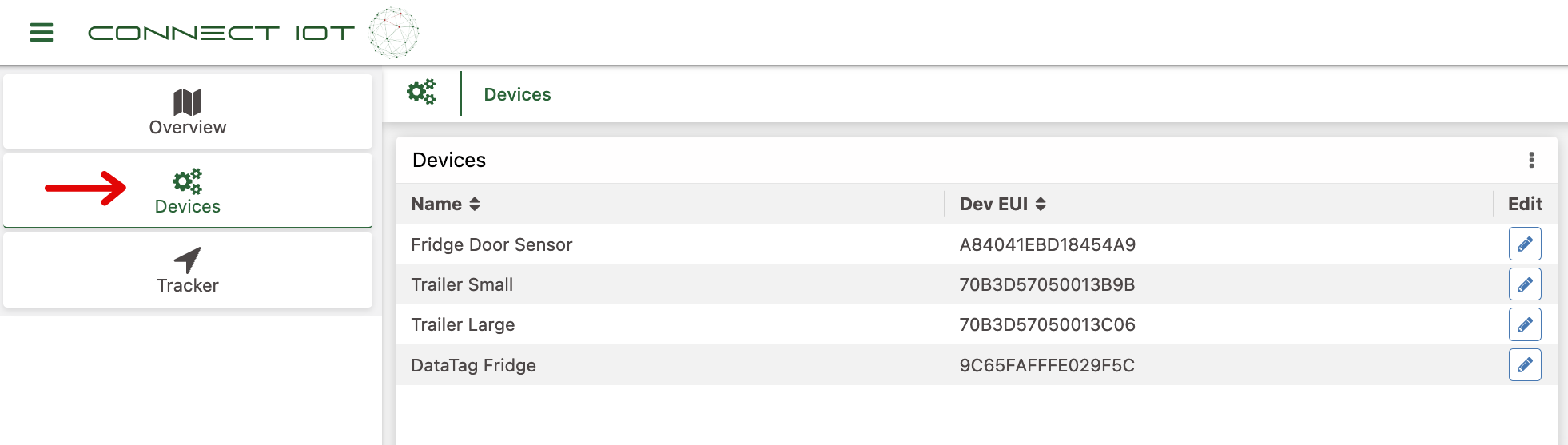
You will see a list of your devices and their corresponding Dev EUIs.
A Dev EUI (Dev Extended Unique Identifier) is a unique code used to identify a device. Some devices have these unique identifiers printed on them to make it easier to identify a device in the field while others don't.
Knowing the Dev EUI of a device is also helpful if you require technical support so that our support team can reference the device quickly.
Edit Device Name
- Find the device you want to rename.
- Click on the pencil ✏️ button in the Edit column of the device table.
- Change the name and click "Save"
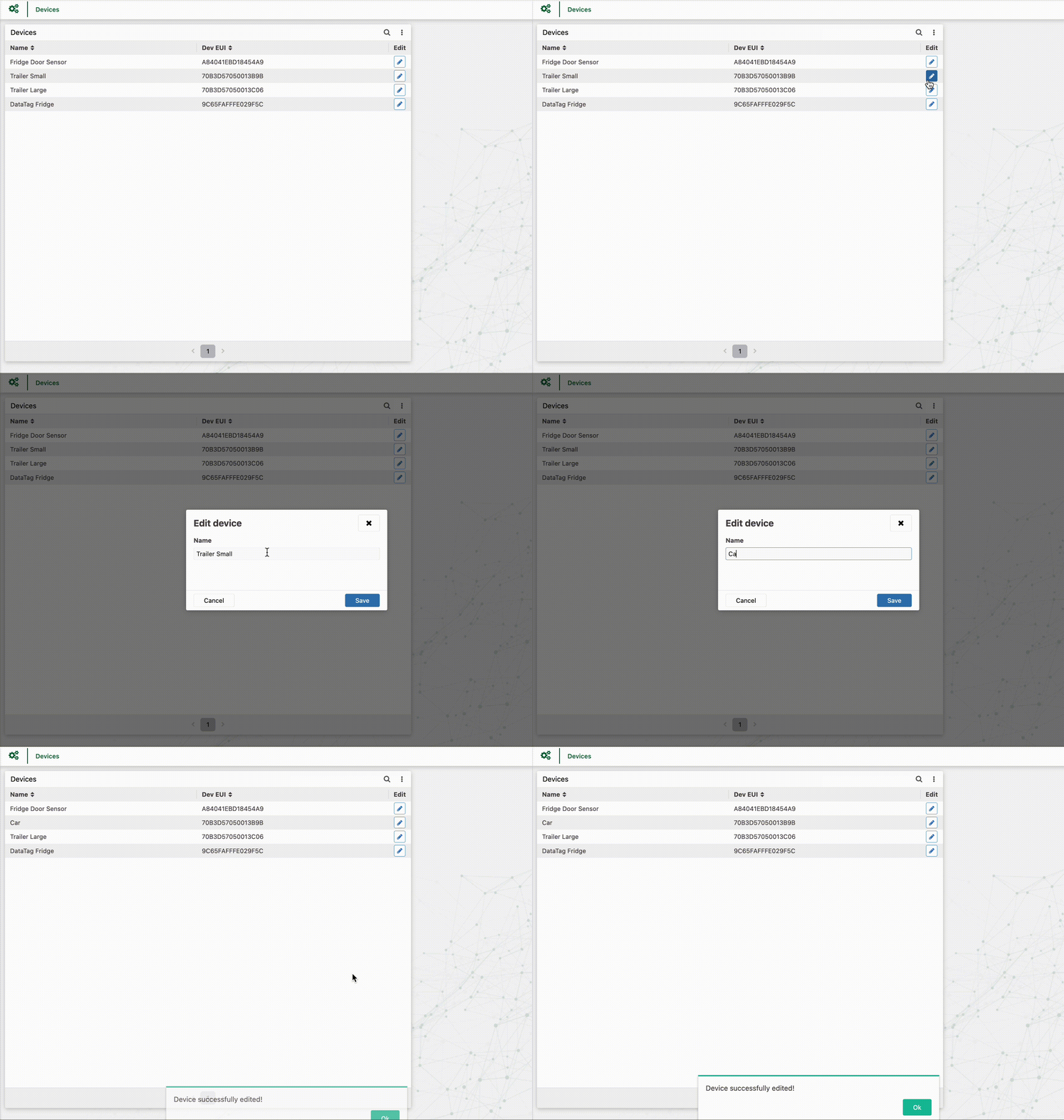
Congratulations! You've now succesfully signed up, navigated the app, viewed your devices and changed a device's name! You're ready to start tracking and monitoring. 😎