Overview Dashboard
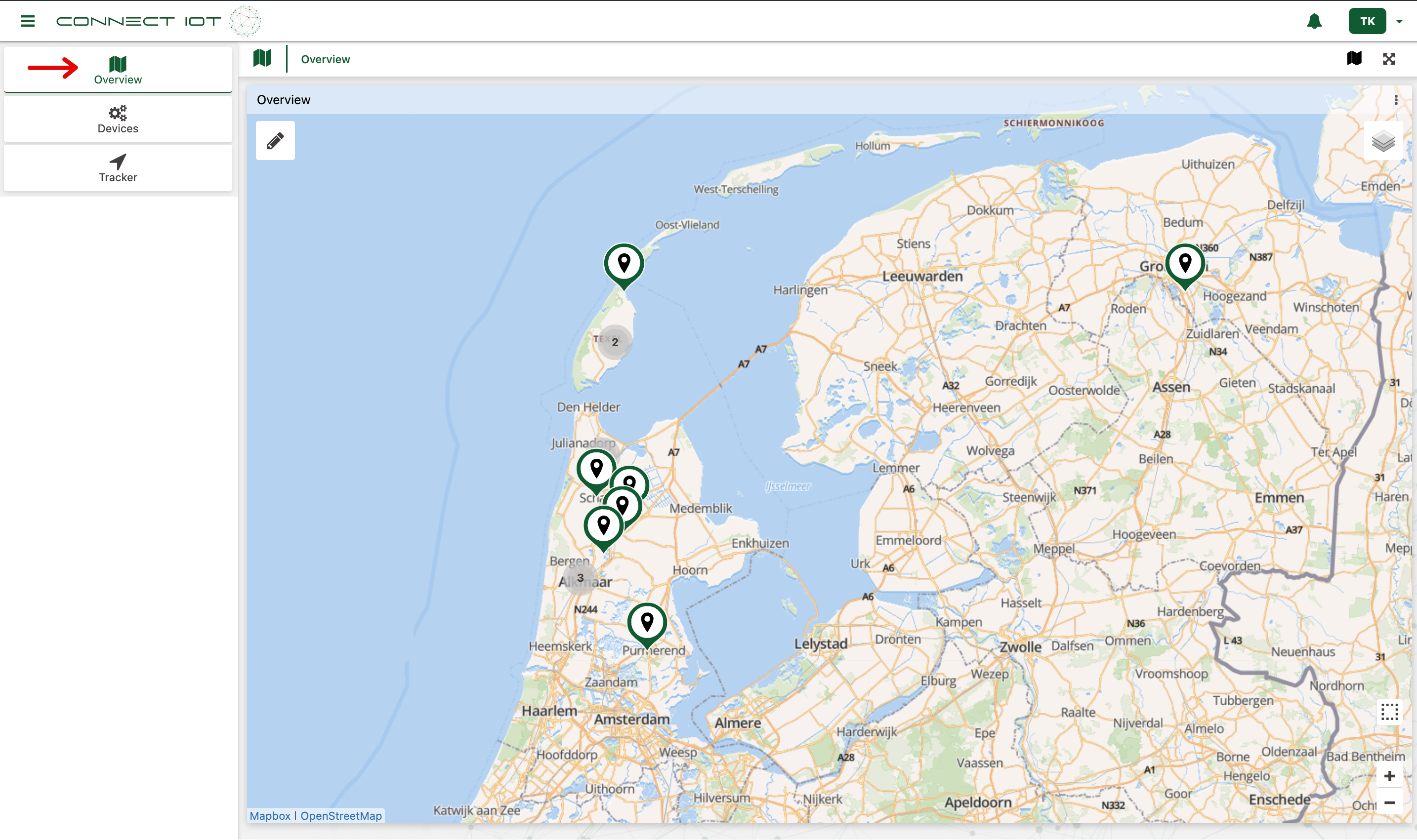
The Overview Dashboard is a place where you can view the last reported locations of your asset trackers. This way you can quickly see where your assets are currently located.
View your overview
Navigate to the 🗺️ Overview tab to view the latest locations your trackers have reported.
Identifying devices
You can easily identify your devices by clicking on a map pin. If you click on a map pin a pop-up window will appear with details about the tracker:
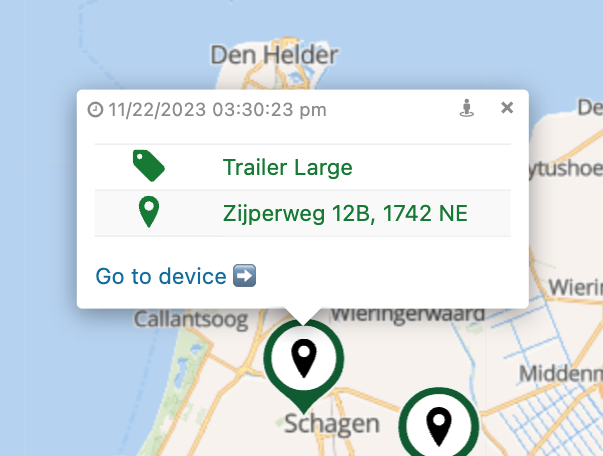
The pop-up shows the following info (from top to bottom, left to right):
- Date and time when tracker last updated its location
- Man icon: Opens the location on Google Maps, Apple Maps or other maps app
- X icon: Close the pop-up
- Tag icon: The device name
- Map pin icon: The device location
"My device is not on the overview"
If your device is not on the overview dashboard it can mean two things:
- Your device is not an asset tracker device. Only asset-tracking devices that report GPS coordinates will show up on the overview dashboard.
- Your device has not yet reported a location. Patiently wait until your device has sent its first signal and it should appear on the overview.
Send us an email with the Dev EUI of your device and the location (Address or coordinates) where you want the device to be shown on your map and we'll add it to your overview!
Awesome! You now know how you can quickly view the latest reported locations of your asset trackers.